The Cost-Per-Use Method: How to Know Which Subscriptions Are Actually Worth It
The average American pays $219/mo on subscriptions but can't name half of them. One formula reveals which ones earn their keep and which should go.
Saidul Islam
Author
C+R Research asked 2,000 Americans how much they spend on subscriptions each month. The average answer: $86.
The actual average, after researchers analyzed the receipts: $219.
That's not rounding error. That's a $133 gap between what people think they're paying and what they're actually paying. And it's not because people are bad at math — it's because subscriptions are engineered to be invisible. Small amounts, charged on different dates, renewed automatically, hiding in credit card statements between coffee shops and gas stations.
$219 a month is $2,628 a year. For most households, that's more than a car payment.
The frustrating part isn't the spending — it's that some of that $219 is genuinely worth it. Spotify at $11.99/month for daily listening is a bargain. But a meditation app at $9.99/month that you opened three times since March is not. They look the same on a bank statement. They're not the same.
This is the subscription audit problem. And there's a method that actually solves it.
Why "Do You Use It?" Is the Wrong Question
When people audit their subscriptions, they usually ask: "Do I use this?"
The problem is that the answer is almost always "yes, sometimes." You have watched Netflix this month. You did open that recipe app recently. You used Calm twice.
"Yes, sometimes" is enough to keep paying. So nothing changes.
The better question is: "What am I paying per use?"
That reframe turns a vague "yeah I use it" into a concrete number. And concrete numbers are uncomfortable in a way that vague answers aren't.
The Formula
Cost-per-use is the simplest possible formula:
Monthly cost ÷ times used this month = cost per use
That's it. No complicated math, no spreadsheet wizardry. Just two numbers producing a third number that tells you something real.
Let's run it on a few real subscriptions:
Netflix Standard ($17.99/month) Five movies a month, two TV episodes a week (roughly 24 episode-equivalents/month). Call it 29 sessions. Cost per session: $0.62. That's less than a vending machine soda. Grade: A.
Audible ($14.95/month, one credit) If you finish one audiobook a month and listen on commutes a few times a week, you're getting solid value. But if that credit sits unused for three months running, your real cost-per-book is $44.85. Grade varies wildly — depends entirely on behavior.
Headspace ($12.99/month) Ten-minute meditation sessions. If you do it daily, that's 30 sessions, $0.43 each. If you do it twice a month when you remember: $6.50 per session. Same app, completely different value equation.
The formula doesn't judge you. It just shows you what's actually happening.
The Grade Benchmarks
After running this math on hundreds of subscriptions, some natural clusters emerge. Here's the grading scale I use:
| Grade | Cost per Use | Verdict |
|---|---|---|
| A | Under $1 | Keep — you're getting a deal |
| B | $1–$5 | Reasonable — worth keeping |
| C | $5–$15 | Questionable — look for cheaper alternatives |
| D | $15–$30 | Hard to justify — consider canceling or downgrading |
| F | Over $30 | Cancel — you'd be better off buying outright |
A $30/month subscription you use once gives you an F. That's not complicated — but most people have never seen it framed that way. They see "$30" and think "well, it's not that expensive." They should see "$30 per use" and think "that's more than buying the thing I'm subscribing to."
The Overlap Problem
The single biggest waste in most people's subscription stacks isn't the expensive ones — it's the overlapping ones.
Consider a typical streaming stack:
- Netflix: $17.99
- Hulu: $17.99 (no ads)
- Disney+: $13.99
- Max: $15.99
- Peacock: $7.99
Total: $73.95/month. That's $887/year on video streaming alone.
Most households watch two services heavily and the others occasionally. The casual ones average maybe two sessions per month. At $16/month, that's $8 per session — a D grade subscription hidden inside a bundle nobody has audited.
The same pattern shows up in fitness apps (Peloton + Nike Training + Strava + MyFitnessPal is four apps where two overlap heavily), cloud storage (iCloud + Google One + Dropbox because you signed up for each one at different times), and productivity tools.
Nobody planned to have four overlapping fitness apps. It happened one signup at a time, each one feeling reasonable in isolation.
How to Do a Full Subscription Audit
This is the actual process, done in order. Don't skip steps.
Step 1: List everything
Go to your credit card statements for the last three months. Write down every recurring charge. Don't filter yet — just list.
Common hiding spots:
- Annual charges (they look like one-offs)
- "Free" apps that charged you after a trial
- Services under a different name than you remember (CBS All Access is now Paramount+, for example)
- Charges from before you changed cards that now auto-charge your new card
- Family plan contributions that someone else manages
Most people find 2–4 subscriptions they'd genuinely forgotten about during this step.
Step 2: Categorize by type
Group them:
- Streaming video
- Streaming audio/podcasts
- News and reading
- Fitness and health
- Cloud storage
- Productivity and tools
- Learning and education
- Gaming
- Everything else
Categories reveal overlap immediately. If you have four things in "fitness and health," at least two of them probably serve the same purpose.
Step 3: Estimate your real usage
For each subscription, try to recall honestly: how many times did you open it in the last 30 days? Not "I probably use it a lot" — actual instances.
If you genuinely can't remember, that's data. Subscriptions you can't remember using are almost certainly C-grade or worse.
Step 4: Run the math
Monthly cost ÷ uses = cost per use. Grade against the benchmarks above.
If a subscription costs $9.99 and you used it three times: $3.33/use. That's a B. Probably worth keeping.
If a subscription costs $14.99 and you used it once: $14.99/use. That's a C shading toward D. Worth questioning.
Step 5: Identify overlaps
Within each category, ask: "If I canceled one of these, would the other cover most of what I need?"
Hulu and Netflix overlap on original series. iCloud 200GB and Google One 200GB overlap completely. Strava and Nike Run Club cover almost identical ground for casual runners.
You don't need to cut everything. You need to cut the duplicate that's adding the least.
Step 6: Handle the "someday" subscriptions
There's a category of subscription that survives every audit because of hypothetical future use. "I'll get back into yoga." "I'll start reading the news again." "I'll use Audible when my commute changes."
These are the most expensive subscriptions you have, because they cost $10–$20/month for $0 in actual value. Set a rule: if you haven't used it in 60 days, cancel it. Future you can re-subscribe if the circumstances change.
Step 7: Create a cancel shortlist
Every subscription that grades D or F goes on a cancel list. For each one, note the cancellation method — some require a phone call, some require navigating a confusing website, some auto-cancel from Settings > Apple ID > Subscriptions.
Don't delete them in the heat of the moment. Make the list, then tackle it over the next week.
Step 8: Make a "keep for now" list
Grade-A and B subscriptions stay. Grade-C subscriptions go on a 90-day watch list — if they're still C in three months, they're candidates for cancellation.
The Frequency Tracking Habit
The audit is a one-time correction. But subscriptions drift over time — usage changes, prices increase, you add new ones.
The thing that actually maintains subscription hygiene isn't doing an audit once. It's building a lightweight habit of tracking usage as you go.
This sounds tedious, but it doesn't have to be. A quick note each time you use something — or a three-tap log in an app — takes about as long as clicking "are you still watching." Over a month, that's enough data for the cost-per-use math to mean something.
The goal is to make invisible spending visible in real time, not just once a year during a stressful financial review.
The Keep/Kill Decision Framework
When you're staring at a borderline subscription — a C that might be a D — here's the framework I use:
Keep if:
- Cost per use is under $5 and trending down (you're using it more over time)
- No comparable alternative exists at lower cost
- Canceling would cost you something real (not just vague "I might want this")
- It's a family plan and you're splitting the cost
Cancel if:
- Cost per use is over $15 consistently
- A cheaper or free alternative covers 80% of the same need
- You've had it on the "I'll use this more" list for over 60 days
- You're paying for features you've never used
Downgrade if:
- You use the service but not the premium tier's features
- The basic plan covers everything you actually do
Netflix 4K at $22.99 versus Standard at $15.49: unless you have a 4K TV you actually sit close to, you're paying $90/year for a spec you can't perceive.
The Annual Charge Trap
Annual subscriptions are particularly dangerous because the math feels different when you're looking at $119/year versus $9.99/month — even though $119/year is actually cheaper.
The trap is that annual charges happen once, feel large, and then disappear from your attention for eleven months. By renewal time, you've forgotten what you paid, you're not actively evaluating it, and you're charged again.
Set a calendar reminder 30 days before any annual subscription renews. That's your window to evaluate and cancel if necessary. Without that reminder, the default is always "charge it."
Section 8: Automating the Whole Thing
The method I've described above is doable in a spreadsheet. People have been doing it that way for years.
The tedious part is tracking usage. If you rely on memory during the audit, you'll consistently overestimate how much you use things you feel good about and underestimate things you feel guilty about. Memory has systematic bias that costs you money.
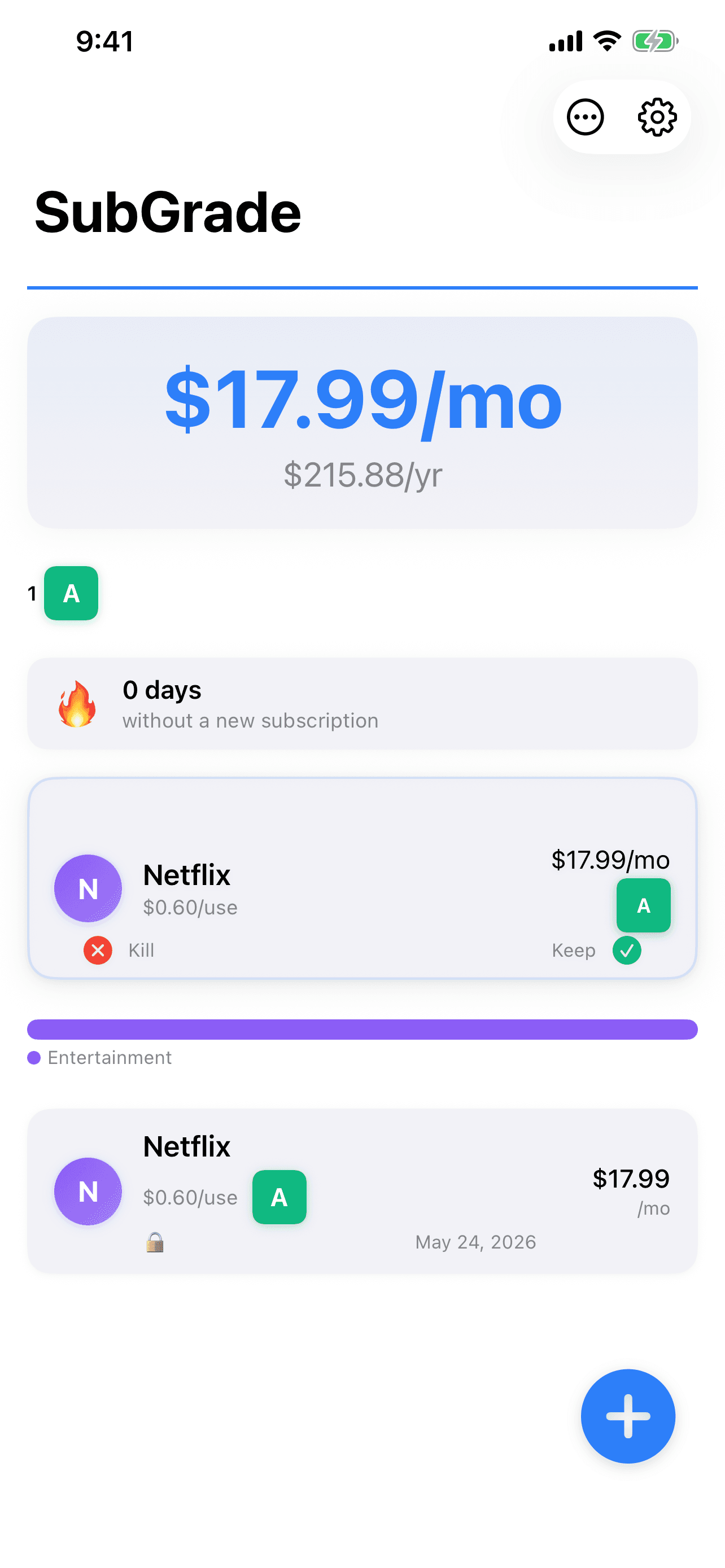
That's what SubGrade is designed to solve. You log subscriptions once. You track usage as you go — three taps, done. The app runs the cost-per-use calculation automatically and assigns grades. When it's time to make a decision, you're looking at real data, not recall.
No bank account required. No credentials. Just a log of what you're paying and what you're actually using, processed into a grade you can act on.
The founder's thinking behind SubGrade goes deeper into why privacy-first design matters here. And if you're specifically auditing one category — like the Bobby app crowd who came from a different approach to subscription tracking — the method is the same, regardless of which tool you use.
One More Thing
The point of a subscription audit isn't to cancel everything and live like a monk.
The point is to keep the subscriptions that genuinely improve your life and cut the ones that are just costing you money by default.
Netflix at $0.62/session is a deal. Use it more. Spotify at $0.20/hour of listening is a steal. Keep it forever. That random app at $12.99/month you opened twice: kill it, and don't feel bad.
You should know what you're paying for. Not approximately. Actually.
The cost-per-use method is how you get there.
One useful thing a week. Nothing else.
I test these tools on real work and write up what actually held up. No roundups I have not used, no affiliate padding. Unsubscribe in one click.