Bobby App Alternative: Is Bobby Still Alive in 2026?
Bobby is still on the App Store, last updated December 2025. What it does well, where it stops, and the alternatives worth trying, with October 2026 prices.
Saidul Islam
Author
Short answer: Bobby is not dead. The subscription tracker from Yummygum, a design studio in Amsterdam, is still on the App Store, still free to download, and got its latest update (version 3.10.4) on December 9, 2025, which improved notifications for long running subscriptions. Updates are slow, though, and Bobby is a list, not an analysis tool. If you want something that stays manual and private like Bobby, try Chronicle. If you want to know which subscriptions are worth keeping, try SubGrade (I built it, more on that below). If you want automatic detection and do not mind linking your bank, Rocket Money is the mainstream pick.
All facts and prices below were checked on October 3, 2026. Sources are listed at the end.
Quick comparison
| App | Bank login | Price (US App Store) | Last update | Best for |
|---|---|---|---|---|
| Bobby | No | Free, optional packs from $0.99 to $2.99 | Dec 9, 2025 | A clean, simple list |
| Chronicle | No | Free, Chronicle Pro subscription $14.99 | Sep 25, 2024 | Bills and subscriptions together, with forecasts |
| SubGrade (mine) | No | Free for up to 5 subscriptions, Pro $4.99 a month or $29.99 a year, Lifetime $79.99 | Active | Deciding what to cancel, by cost per use |
| Rocket Money | Yes | Free tier, Premium $7 to $14 a month (you choose) | Active | Automatic detection from your bank |
| Apple Settings | No | Free | Built in | Subscriptions billed through Apple only |
Is Bobby still being updated?
Yes, but not often. The App Store version history shows four releases in 2024 (3.9.7 through 3.10.2), then 3.10.3 on June 10, 2025 and 3.10.4 on December 9, 2025. The June release fixed a crash when creating your first subscription, a wrong total cost calculation, and an in-app purchase bug. The December release improved notifications.
So the "Bobby is abandoned" story you may have read elsewhere (including an earlier version of this page) is wrong. A fair summary is: maintained, slowly, by a small studio. If Bobby works for you today, there is no urgent reason to leave.
Bobby runs on iPhone, on Apple silicon Macs (macOS 11 or later) and on Apple Vision Pro. The App Store lists it as iPhone only on the iPad side, so there is no dedicated iPad version. There is also no web app; if you want your list on a Mac, I wrote a separate guide on tracking subscriptions from your Mac desktop.
What Bobby gets right
- No bank login. You add subscriptions by hand, from a list of common services or as custom entries. Nothing touches your bank account.
- Cheap. Free to download. The extras are small one-time packs: an All-in-one Pack ($1.99, or $2.99 for v2) and single packs at $0.99 each that lift the subscription and category limits or add security and visual options.
- Clean design. It holds a 4.7 rating from about 8,000 US ratings, which is rare for a finance app.
- Upcoming bill notifications, which the December 2025 update made more consistent.
Where Bobby stops
Bobby tells you what you pay. It does not tell you whether it is worth it.
- No usage tracking. A subscription you open every day and one you forgot about look the same.
- No cost per use. Without usage, there is no way to see that a $15 service you use twice a month costs you $7.50 per use.
- No help cancelling. When you decide to drop something, you are on your own.
- Slow release pace. Two updates in the last 16 months. Fine for a stable app, but a bug can sit for a while.
If those gaps do not bother you, keep Bobby. If they do, here are the alternatives.
The alternatives, honestly
Chronicle: the closest match to Bobby
Chronicle by LittleFin LLC is a manual bill organizer: no bank sync, reminders, payment history and a forecast view of what is due over the next year. The base app is free; Chronicle Pro, a $14.99 auto-renewing subscription, adds the forecast, "Amount to Save" and cloud sync across your iOS devices. It is rated 4.8 from more than 3,800 ratings. One caution: its latest App Store update is September 25, 2024, older than Bobby's. Choose it if you want bills and subscriptions in one place.
SubGrade: if you want a verdict, not a list
I built SubGrade, so read this with that in mind and judge it on its merits.
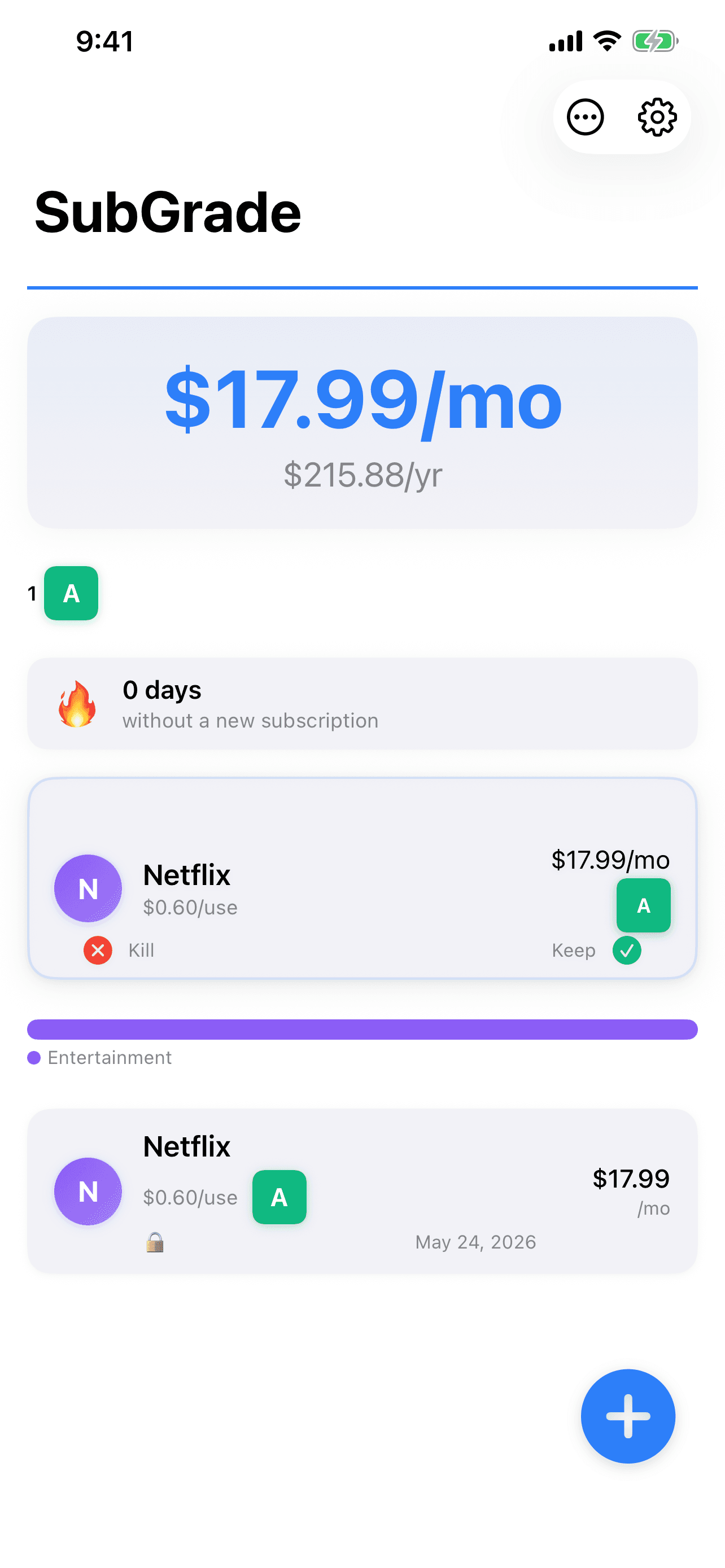
SubGrade is manual like Bobby (no bank login, no Plaid, everything stays on your iPhone), but it adds the part Bobby skips. You log when you use a subscription, and it grades each one A to F by cost per use. Three days before a renewal it shows a keep or kill card with the math done, and it has built-in cancel links and a timestamped proof vault for cancellations. It also flags overlaps, like paying for two music services.
The honest cons: logging usage takes a little effort, and the grades only mean something after a few weeks of data. The free tier tracks up to 5 subscriptions. Pro is $4.99 a month or $29.99 a year with a 7-day trial, and Lifetime is $79.99 once. If you liked Bobby because you paid little or nothing, that is a real difference. Get it on the App Store.
Rocket Money: automatic, but it needs your bank
Rocket Money finds your subscriptions by linking your bank accounts, which is the whole point and also the reason many Bobby users avoid it. Premium is "pay what you think is fair", typically $7 to $14 a month, and bill negotiation costs 35% to 60% of the first year's savings when it succeeds. I wrote a full privacy-first Rocket Money alternative comparison if you are weighing that trade.
Apple Settings: free, but only half the picture
On iPhone, open Settings, tap your name, then tap Subscriptions. You see every subscription managed through Apple and can cancel from there. It costs nothing. It misses anything you pay for directly on a website or through your carrier, which for most people is the gym, the streaming service you signed up for in a browser, and the software you use for work.
A spreadsheet
If you have five or six subscriptions and only want a list, a note or a spreadsheet is enough. No app needed.
Moving off Bobby
Bobby has no export, so moving is manual:
- Open Bobby and write down each subscription: name, cost, billing date and cycle.
- Add each one to the new app. For most lists this takes a few minutes.
- Set the billing dates carefully so reminders fire on time.
- Keep Bobby installed until the new app has sent you its first correct reminder.
Retyping is annoying, but it doubles as an audit. You will hit at least one entry and think "do I still use this?" That question is the whole point. If you want a method for answering it, my cost-per-use subscription audit walks through it.
FAQ
Is the Bobby app discontinued? No. Bobby is still on the App Store and its latest version, 3.10.4, was released on December 9, 2025.
Who makes the Bobby app? Yummygum, a design studio based in Amsterdam.
Is Bobby free? Bobby is free to download. Optional one-time packs cost $0.99 to $2.99 and remove limits or add features.
Does Bobby work on Mac or iPad? It runs on Macs with Apple silicon (macOS 11 or later). The App Store lists no dedicated iPad version, and there is no web app.
Does Bobby connect to my bank? No. You enter subscriptions by hand, which is why privacy-minded people like it.
What is the best Bobby alternative without a bank login? Chronicle if you want bills and forecasts in one place; SubGrade if you want to know which subscriptions are worth what you pay. Both are manual and keep your bank out of it.
Can I see all my subscriptions on iPhone for free? Partly. Settings, then your name, then Subscriptions lists everything billed through Apple. Subscriptions you pay for elsewhere do not appear there.
Sources (accessed October 3, 2026)
- Bobby on the US App Store: developer, version history, in-app purchase prices, rating, device support.
- Yummygum: Bobby project page: studio behind Bobby.
- Chronicle on the US App Store: Chronicle Pro price, latest version, features.
- SubGrade on the US App Store: plans and prices.
- Rocket Money: how much does Rocket Money cost: Premium range, bank linking, negotiation fee.
- Apple Support: view or cancel your subscriptions: where Apple lists your subscriptions.
Free, 5 minutes
The 5 minute menu bar reset
The exact order to do it in: what to remove first, what macOS adds back, which manager to pick and which icons earn a place. Two pages, written so you can finish before your coffee goes cold.